
Reporting on Exact Online with Power BI
What is Exact Online?
Exact Online is a cloud-based business software platform for accounting, financial management, and business operations. It is widely adopted in Belgium, the Netherlands and other parts of Europe, mostly by small and medium-sized enterprises (SMEs) that want less friction in their administrative and operational work.
What is Power BI?
Power BI is Microsoft's business intelligence and data visualization platform. It connects to a wide range of data sources, transforms the data, and turns it into interactive dashboards and reports. Organizations use it to monitor their key performance indicators (KPIs) and base decisions on data.
Added Value of importing Exact Online into Power BI
The app connects the two tools. It extracts data from Exact Online, such as financial records, invoices, customer details, and operational metrics, and feeds it into Power BI, where you can build dynamic, customizable reports on your business's financial health and operational performance. That means monitoring financial and operational trends in real time, visualizing business performance across revenue, expenses and customer data, and tightening up resource allocation, cash flow management and billing.
Use Cases
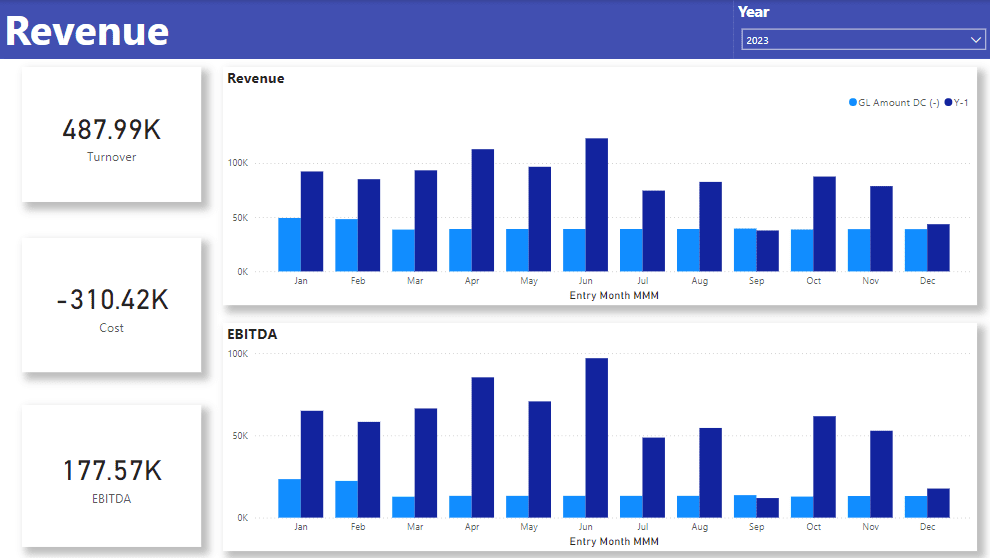
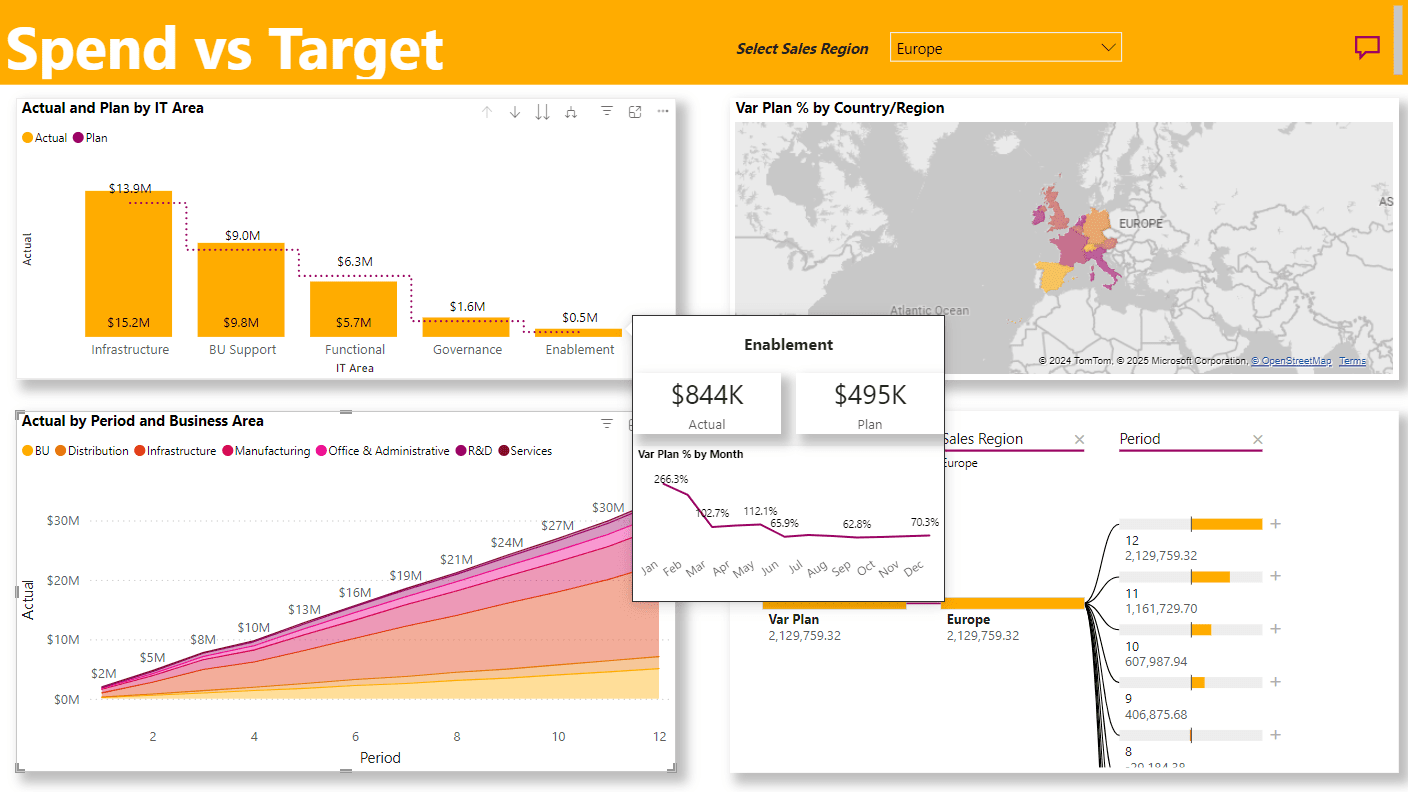
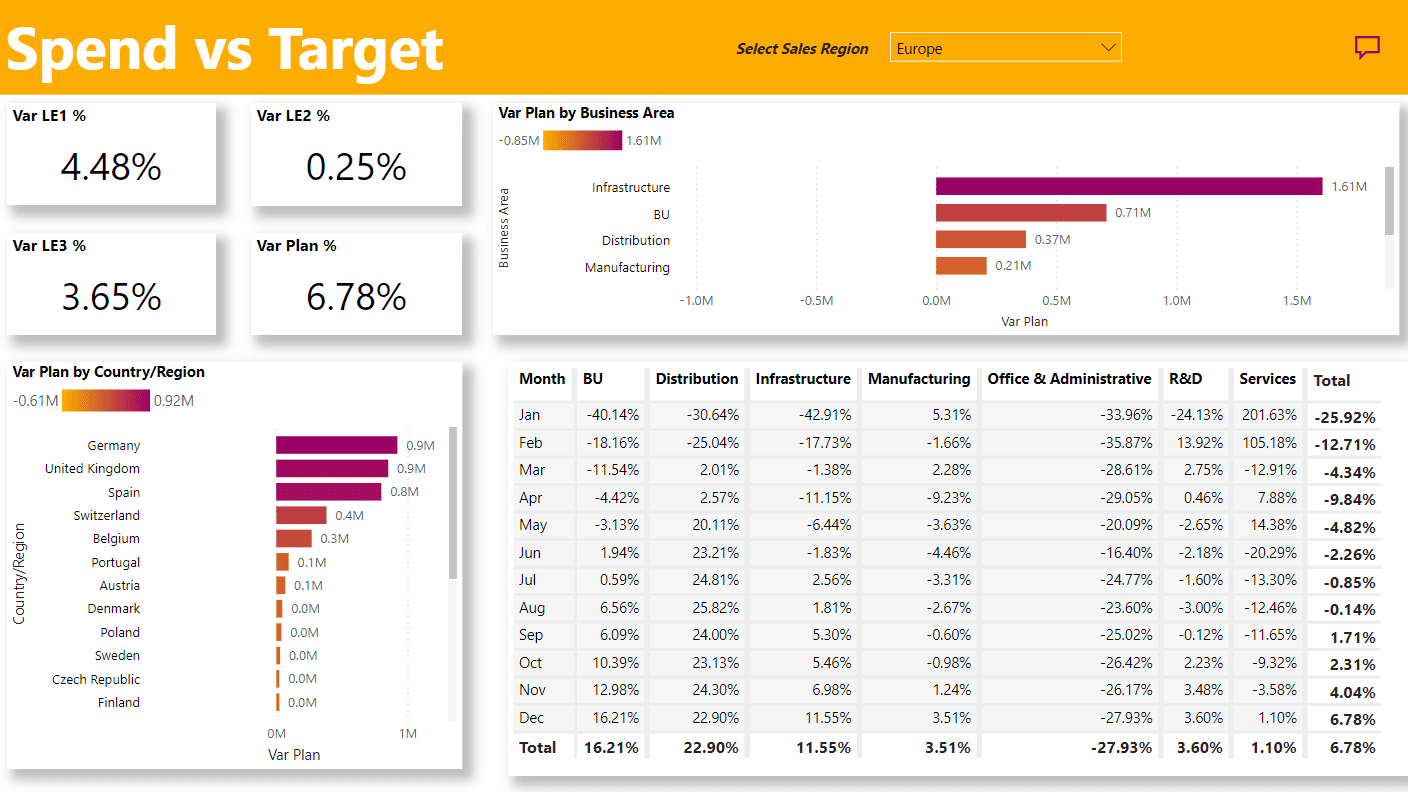
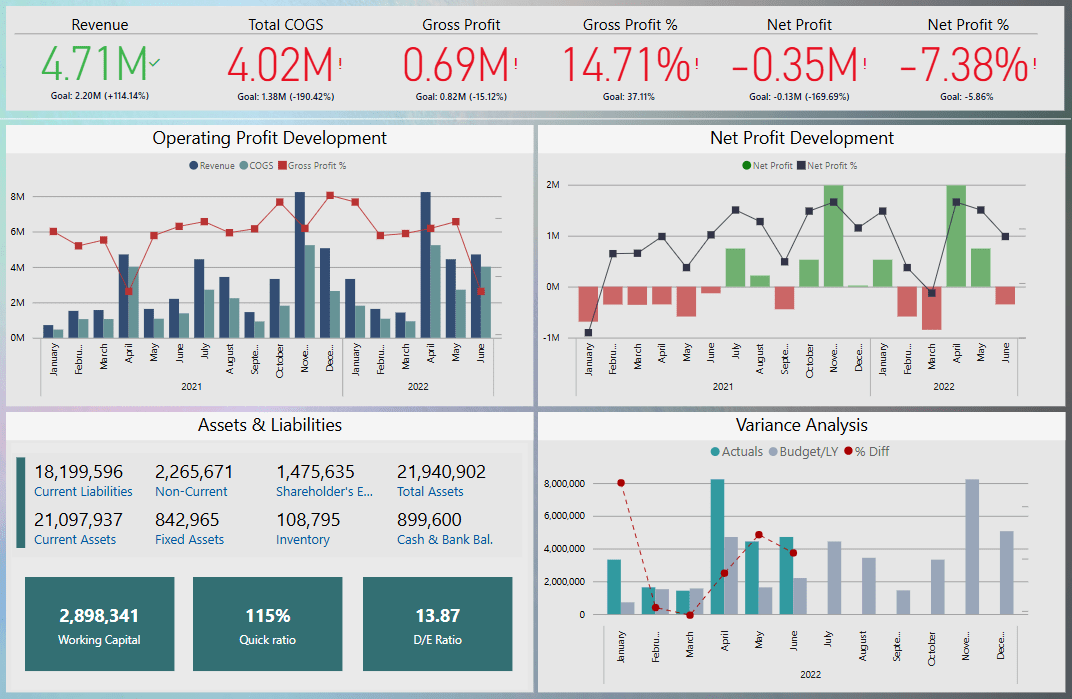
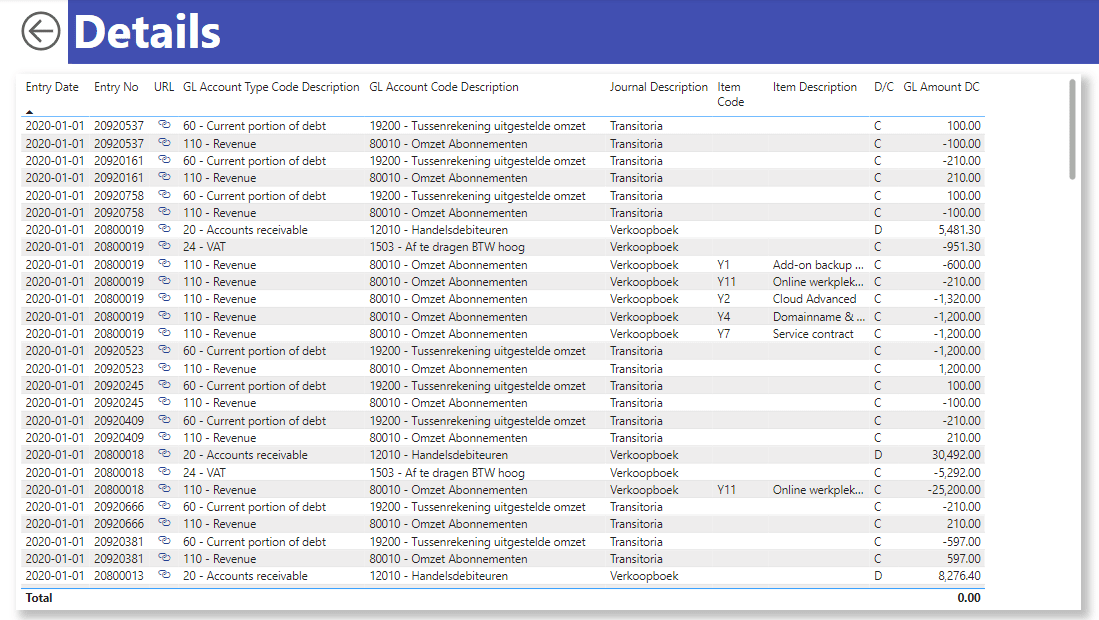
Below are some of the reports and use cases that have been tackled with Exact Online as a source.
Authenticating to Exact Online from Power BI
Follow these steps to authenticate the app to your Exact Online account:
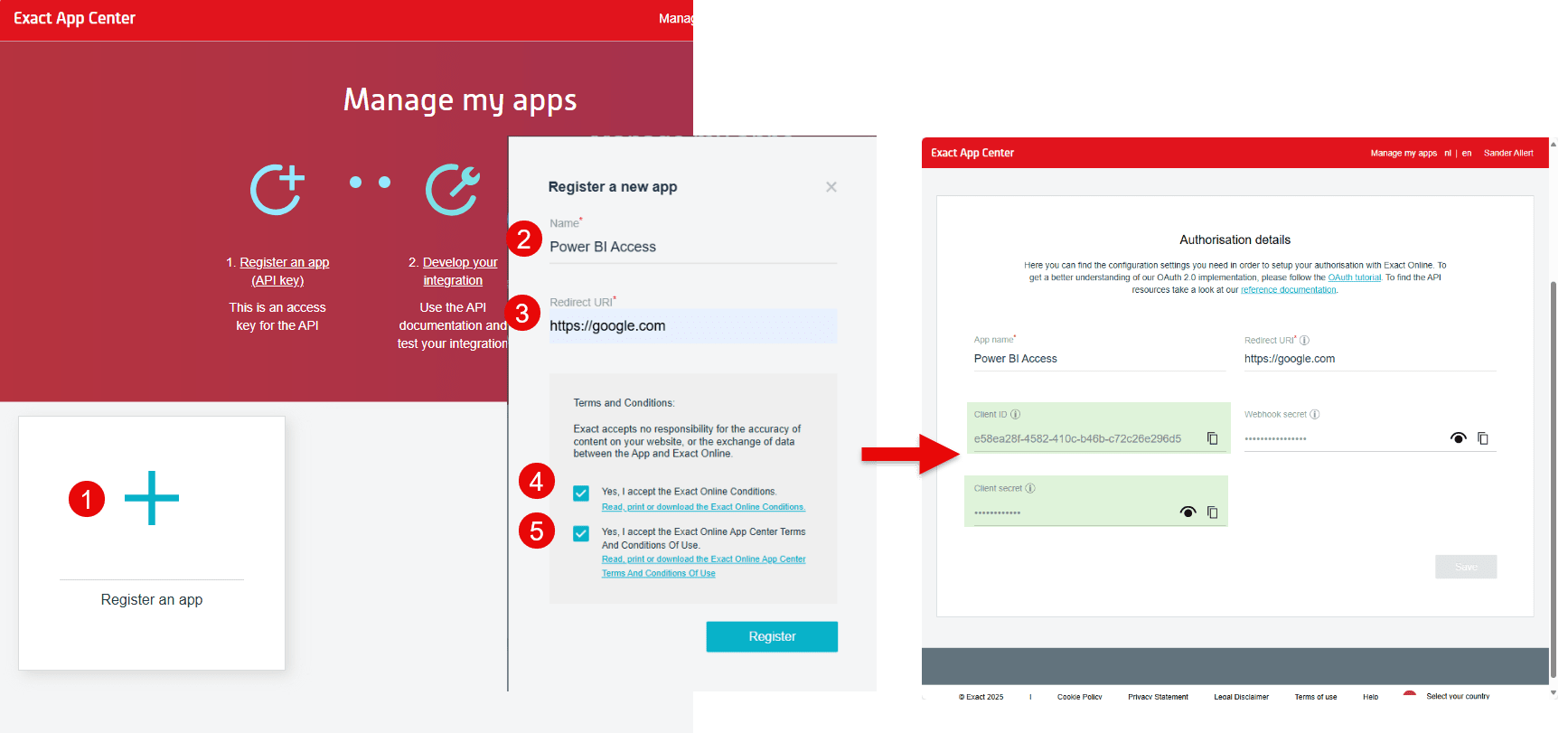
Log in to Exact Online and register an App using API Key on this URL: https://apps.exactonline.com/nl/nl-NL/V2/Manage
Press the button "Register an app"
Give the app a name, for example: "Power BI Access". Also set the "Redirect URI" to a trusted website; in our example we used https://google.com. After authentication within Exact Online, you'll be redirected to this "Redirect URI" with part of your token in the URL.
After accepting the terms and conditions, you'll be granted the following information:
Client ID: this is the technical id of your API. Write it down for the next steps. An example is e58ea28f-4582-410c-b46b-c72c26e296d5.
You're also granted a Client secret and webhook secret. The provided Power BI App does not use these.
- Build your authentication URL. It consists of several parts glued together: the authentication URL, the obtained client id, the redirect URI you entered and the method of authentication.
A complete URL would look like this: https://start.exactonline.nl/api/oauth2/auth?client\_id=e58ea28f-4582-410c-b46b-c72c26e296d5&redirect\_uri=https://google.com&response\_type=token
You'll need this URL every time you want to refresh this information, so keep it somewhere close, such as in your browser bookmarks bar (= save this URL as you'll need it). That way, you can easily go back to this site.
Now open the URL you built. You'll be asked to sign in to Exact with your personal information, and it will prompt you whether you allow the app to connect to your data. Upon accepting, you'll be redirected to your redirect URI (in our case https://google.com), with a long authentication code after the URL. That URL contains three types of information: the token type, the access token and the expiry time (600 seconds = 10 minutes). An example is: https://www.google.com/#**token\_type**\=bearer&**access\_token**\=stampNLpMkzNNMPvEE&**expires\_in**\=600
Copy the whole URL and fill it in in the parameters of the Power BI App template. Your template app will now use the access token you've created to import data from Exact Online.
Wait, I need more information!
The app covers the basics. Contact us if you need more advanced functionality, such as:
Scheduling a timely refresh: we can provide a solution that allows a periodic refresh for Exact Online.
Reporting on admin functionalities: billable rates, project estimations, expenses, invoices, sales, ...
Working with multiple tenants: more than one company usually means more than one tenant. We have a solution for that.
Combining Exact Online with other sources: Exact Online might not be your single source of truth. We can help bring in more sources.
Performance improvements / incremental refreshes / technical problems: if you need a faster solution, want to implement incremental refresh or other technical improvements, we can help.
Send your inquiry by email to info@plainsight.pro.
Want to implement this in your workflow, too?

David Loos
David is co-founder of Plainsight and has been in data and analytics for well over fifteen years. He's held every role from developer to program manager, and has led data strategy and architecture for organizations like Delhaize, VDAB, Fluvius, and Barco. He completed Vlerick's Advanced Management Programme, which says as much about how he thinks about business as it does about data.