Top 5 Fabric Innovations Announced at Microsoft Ignite
Last month Microsoft Ignite took place in San Francisco. During this event lots of new developments got announced regarding all Microsoft products. This article will focus on 5 of those announcements concerning the Microsoft Fabric platform. Lots of these features are still in preview, as indicated in the enumeration. This means the features aren’t complete yet but made available on a preview basis so that customers can get early access and provide feedback to get to a generally available state of the feature.
fabric IQ (preview)
The most significant barrier to the widespread adoption of generative AI in the enterprise has not been model capability, but context availability. For example: when an AI agent is asked to "analyze the churn rate for Q3”, it does not inherently know what "churn" means to that specific organization. Is it a customer who hasn't purchased in the last 30 days? What about 90 days? A customer who canceled a subscription? Without a unified semantic layer, agents are forced to guess. Fabric IQ is Microsoft's answer to this challenge.
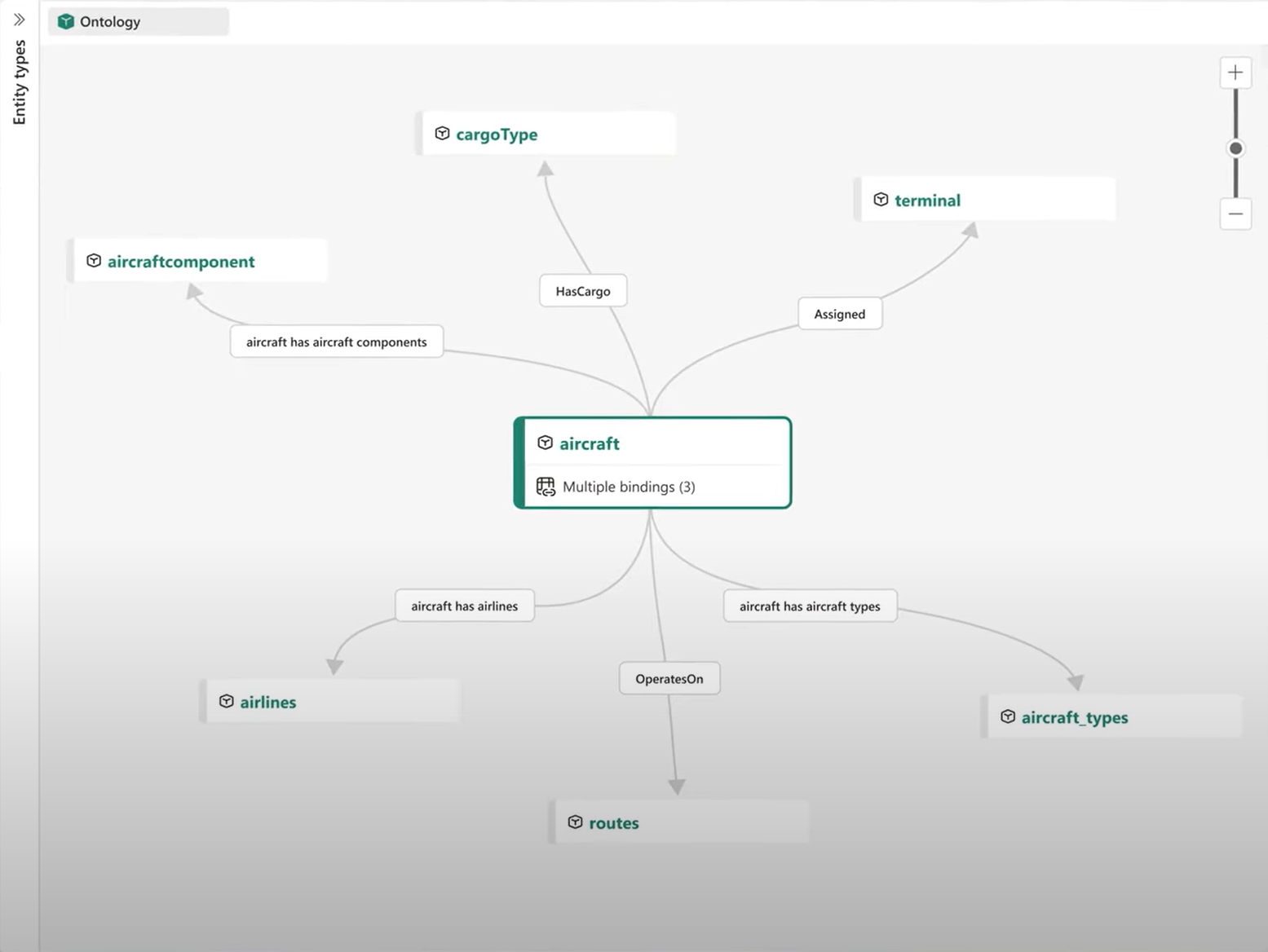
Key features:
Ontology: The semantic bedrock. It allows organizations to move beyond table schemas and define a shared model of business entities and their relationships. A single definition of a concept drives how Power BI, notebooks, and agents interpret data across an entire organization. This reduces duplication while constraints improve data quality. Graph links and rules also make it possible to traverse multiple relationships to power deep dependency and impact analysis. This model is bound to the underlying data in OneLake. This article provides a more detailed and visual overview of the capabilities.
Data Agents: These are virtual analysts capable of answering business questions using the ontology. This ensures they respect pre-defined business logic.
Operation Agents: These agents reason over real-time signals processed by Fabric Real-Time Intelligence engines and recommend business actions.
2. SQL Database in Fabric (Generally Available)
This general availability marks a milestone in the journey to unify operational and analytical data for the next generation of AI-powered applications. This unification is indicated as translytical, where data is instantly available for both operational use and analytics, without performance trade-offs or complex ETL pipelines.
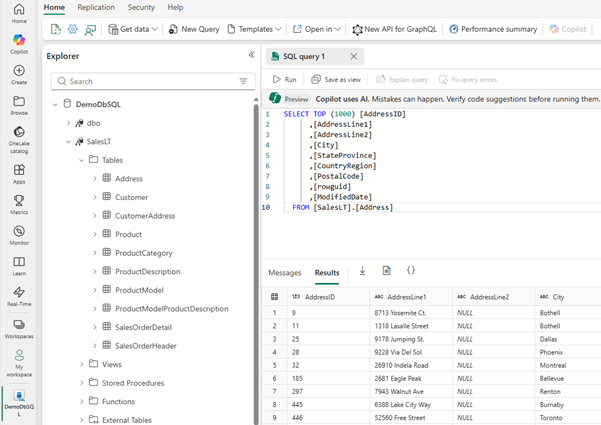
SQL database in Fabric is built on 3 pillars:
Simple: Databases can be spun up in seconds, integrated Copilot, seamless integration with Visual Studio Code & Sql Server Management Studio, built-in CI/CD.
Autonomous & Secure: Automatic scaling of compute and storage through its serverless architecture, authentication through Microsoft Entra, managing workspace roles and SQL permissions.
Optimized for AI: native support for vector data and Retrieval-Augmented Generation (RAG)
3. ONelake security acces control model (preview)
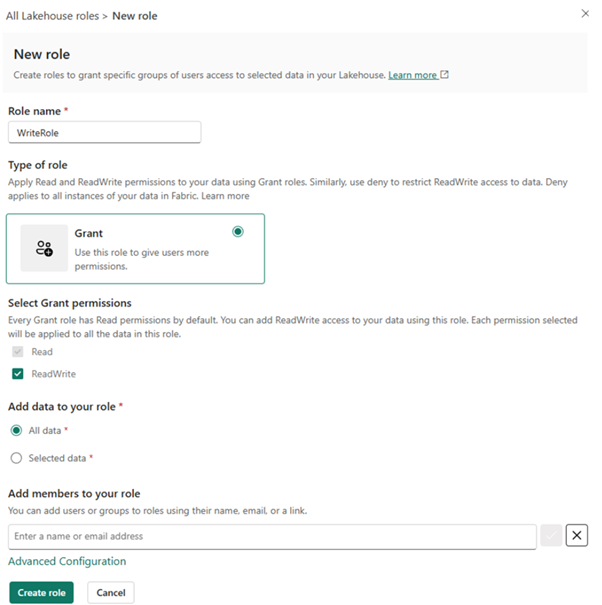
Up until now, to allow a user to contribute data in Fabric, administrators typically had to grant "Contributor" access at the Workspace level. This role is powerful: it grants the ability to create, edit, and delete any item in the workspace. Therefore, to enable collaboration, organizations had to compromise on security. Or to maintain security, they had to lock down access, creating bottlenecks where IT became the sole gatekeeper of data ingestion. With this new feature, administrators can now define custom security roles that grant ReadWrite access to specific folders or tables within a Lakehouse without requiring the user to hold an elevated workspace role.
4. data clustering in frabric data warehouse (preview)
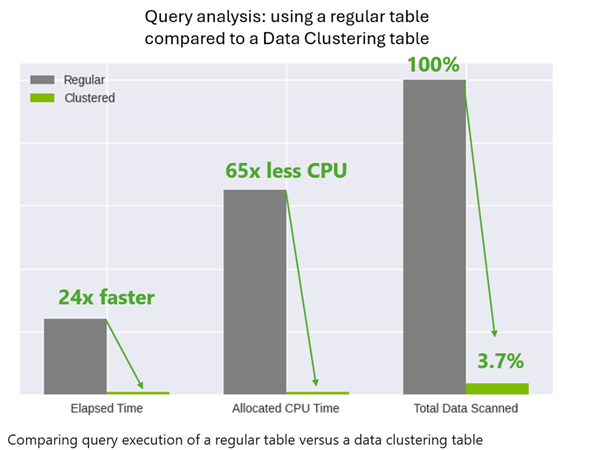
Available data keeps on growing by the day. Without optimization, the parquet files in which they are kept in Fabric are often unordered (stored in the sequence they arrived). A query filtering for a specific customer or date range might have to scan every single file in the lake to find the relevant records, leading to slow queries and high resource usage. In this regard data clustering is a game-changing feature designed to supercharge your queries. Data clustering is a technique that organizes and stores your data based on similarity. By grouping similar records together at the storage level, data clustering makes queries run faster and more efficiently. The cluster fields are to be selected by the developer with a maximum of 4 fields. These columns should be selected by keeping in mind which fields are most often used to filter the table. As an example, consider following comparison between a regular and clustered table. Both tables contain the same data.
5. dbt job in Microsoft Fabric (Preview)
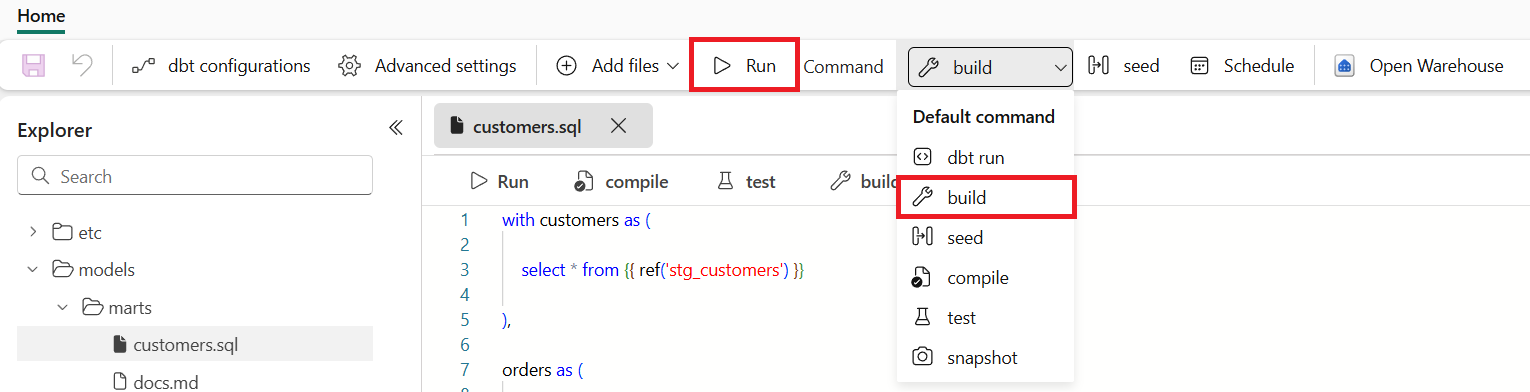
dbt (data build tool) is a framework that lets analysts and engineers transform raw data into reliable data models inside a chosen warehouse using mainly SQL select statements and .yml config files. It enables built-in testing, versioning, collaboration & documentation. dbt job in Fabric brings the power of dbt directly into the Fabric experience. You can build, test, and deploy dbt models on top of your Fabric data warehouse or other supported warehouses without the need to install local tools or manage external orchestration.
Fabric integrates with dbt Core to provide:
No-code setup for onboarding and configuration
Native scheduling and monitoring to keep workflows reliable and transparent
Visual insights into dbt runs, tests, and lineage—all within the same workspace as your pipelines and reports
This approach combines the flexibility of code-first development with the simplicity of low-code orchestration so analytics and engineering teams can collaborate and scale transformations across the organization.
As indicated in the beginning of this article, these 5 features are only a small part of all the new developments shared at the event. If you would like to see a total overview of all the announcements, you can find these here.
Do you have questions about certain features in Fabric or would you like to know more about how you can use Fabric to boost your data platform within your company? Do not hesitate to contact us!